Plugin
v1.0.0
Instant Download
Sangu Most Viewed
Download and install immediately after purchase.
OJS Compatibility
OJS 3.4.x
1 / 2
FREE
What's included
- Direct download (No license required)
- Use on unlimited journals
Description
Sangu Most Viewed Plugin for OJS 3.4
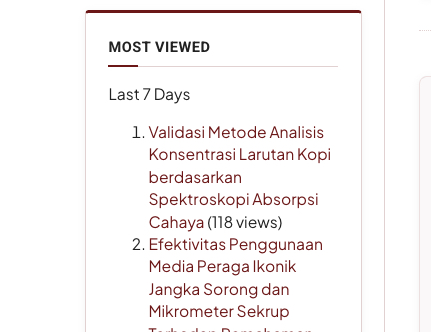
A generic plugin to display the most viewed articles in the sidebar of OJS 3.4 journals.
Features
- Displays articles with the highest view counts in the sidebar
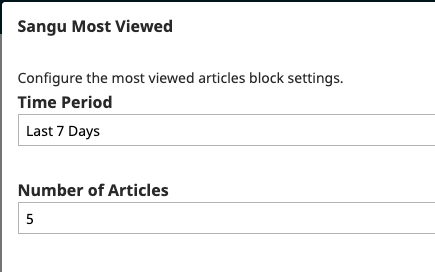
- Configurable time period: last 7 days, last 30 days, last 1 year, or all time
- Configurable number of articles to display (3, 5, 10, 15, or 20)
- Supports English and Indonesian languages
Requirements
- OJS 3.4.x
- Usage statistics data (table
metrics_submission) must be available
Installation
- Copy the
sanguMostViewedfolder to theplugins/generic/directory - Go to Settings → Website → Plugins
- Find "Sangu Most Viewed" under the Generic Plugins category
- Click Enable
Configuration
- After enabling the plugin, click the Settings button next to the plugin name
- Select the Time Period:
- Last 7 Days
- Last 30 Days
- Last 1 Year
- All Time (default)
- Select the Number of Articles to display (default: 5)
- Click Save
Displaying in the Sidebar
- Go to Settings → Website → Appearance → Sidebar Management
- Drag the "Most Viewed Articles" block to the sidebar area
- The block will automatically appear on the journal pages
Customer Ratings & Reviews
Reviews from customers who have successfully purchased this product.
5.0
1 public reviews
OMG OFFICIAL
08 Sep 2026
good